Category: Uncategorized

  • Tips for a Successful Digital Transformation

    Tips for a Successful Digital Transformation

    In today’s fast-paced digital landscape, businesses must evolve to stay competitive. Digital transformation is more than just adopting new technology; it’s about strategically integrating digital tools to streamline operations, enhance efficiency, and drive innovation. One of the key aspects of digital transformation is transitioning to cloud-based solutions, which offer flexibility, scalability, and cost savings. Here are some essential tips to help businesses successfully navigate this transition and adapt their workflows effectively.

    Migrating to the cloud is a fundamental step in digital transformation. Cloud-based solutions provide a range of benefits, including enhanced data security, remote accessibility, and seamless scalability. Here’s how to ensure a smooth transition:

    1. Transitioning to Cloud-Based Solutions

    • Assess Your Needs: Identify the key processes that would benefit most from cloud integration. Evaluate your existing IT infrastructure and determine which services can be moved to the cloud.
    • Choose the Right Cloud Provider: Compare different cloud platforms such as AWS, Google Cloud, and Microsoft Azure based on your business needs, budget, and compliance requirements.
    • Ensure Data Security and Compliance: Prioritize security by implementing strong authentication, encryption, and access controls. Also, ensure compliance with industry regulations like GDPR or HIPAA.
    • Train Your Workforce: Employees need to be well-versed in cloud-based tools to maximize their effectiveness. Conduct regular training sessions and provide resources to ease the transition.
    • Adopt a Phased Approach: Instead of shifting everything at once, migrate systems gradually to minimize disruptions and allow employees time to adapt.

    2. Managing Organizational Changes

    Digital transformation brings significant changes to an organization, from shifting job roles to adopting new workflows. To navigate these changes effectively:

    • Communicate Clearly: Keep all stakeholders informed about the transformation plan, its benefits, and expected challenges. Transparency builds trust and encourages collaboration.
    • Develop a Change Management Strategy: Outline how the organization will handle transitions, support employees, and address resistance to change.
    • Encourage a Digital-First Mindset: Foster a culture where employees embrace technology and innovation, ensuring a smoother adoption of new tools.
    • Leverage Automation: Automating repetitive tasks enhances productivity and allows employees to focus on more strategic responsibilities.

    3. Optimizing Workflows for Digital Transformation

    To fully realize the benefits of digital transformation, businesses must optimize their workflows. Effective workflow management ensures seamless collaboration and operational efficiency. Here’s how:

    • Map Out Existing Workflows: Identify bottlenecks and inefficiencies in current processes before digitizing them.
    • Use Workflow Automation Tools: Platforms like  Flobaze , Zapier, Trello, and Monday.com can help automate tasks, track progress, and improve coordination.
    • Develop Industry-Specific Guides: Create customized digital workflow guides tailored to your industry to ensure best practices are followed.
    • Continuously Evaluate and Improve: Digital transformation is an ongoing process. Regularly assess and refine workflows to keep up with technological advancements and evolving business needs.

    Final Thoughts

    Digital transformation is not just about implementing technology; it’s about redefining business operations for long-term growth. By strategically transitioning to cloud-based solutions, embracing organizational change, and optimizing workflows, businesses can successfully navigate the digital era. With the right approach, digital transformation can drive efficiency, foster innovation, and future-proof your organization.
  • Maximize Productivity: The Game-Changing Benefits of Workflow Apps

    Maximize Productivity: The Game-Changing Benefits of Workflow Apps

     Businesses, teams, and individuals are constantly looking for ways to streamline their processes and work smarter, not harder.Workflow apps are powerful tools designed to simplify collaboration, automate tasks, and enhance productivity. Whether you’re managing a team, handling multiple projects, or just looking to stay organized, a workflow app can be a game-changer.

    The Power of Workflow Apps

    Workflow apps provide a centralized platform where tasks, communication, and projects are seamlessly managed. These tools eliminate confusion, reduce manual errors, and ensure that everyone is on the same page,however not all workflow apps are easy to set up, this is where you need Flobaze -a user friendly workflow app that is easy to set up without any technological expertise. But the benefits go far beyond simple task management, 

    1. Enhanced Collaboration

    One of the biggest challenges in any team setting is effective communication. Workflow apps provide shared workspaces, real-time messaging, and integrated file sharing, ensuring that team members can collaborate effortlessly with no more endless email chains or missed updates. 

    2. Increased Efficiency Through Automation

    Repetitive tasks can be time-consuming and prone to errors. Workflow apps automate processes such as task assignments, approvals, and notifications, freeing up time for more strategic work and minimizing human error.

    3. Better Task and Project Management

    From tracking project progress to setting deadlines and priorities, workflow apps help teams stay organized. With features like real-time dashboards, managing complex projects becomes a breeze.

    4. Seamless Integration with Other Tools

    Most workflow apps integrate with essential business tools such as Slack, Trello, Google Drive, and CRM software. This seamless connectivity ensures that all work-related information is accessible from a single platform, eliminating the need to switch between multiple apps.

    5. Improved Accountability and Transparency

    With clear task assignments and real-time progress tracking, workflow apps enhance accountability. Managers can see who is working on what, deadlines are clearly defined, and team members can take ownership of their responsibilities.

    6. Remote Work Made Easy

    With remote and hybrid work becoming the norm, workflow apps provide a structured environment for distributed teams. Whether your team is across the office or across the globe, workflow tools ensure that collaboration remains smooth and productive.

    7. Data-Driven Decision Making

    Many workflow apps offer insightful analytics and reporting features. By analyzing workflow efficiency, bottlenecks, and team performance, organizations can make informed decisions to optimize their processes further.

    Transform the Way You Work

    Adopting a workflow app isn’t just about managing tasks, it’s about creating a more productive, organized, and collaborative work environment. Whether you’re a small business, a growing startup, or a large enterprise, leveraging workflow apps can help you stay ahead of the competition.

    Ready to take your productivity to the next level? Explore the world of workflow apps through Flobaze where simplicity, efficiency, collaboration and productivity is non negotiable 

    Boost Your Team’s Productivity with Flobaze: The Ultimate Workflow App

    In today’s fast-paced world, efficiency and collaboration are the keys to success. Whether you’re managing a remote team, running a startup, or handling large-scale projects, having the right workflow tool can make all the difference. That’s where comes in—a revolutionary workflow app designed to streamline collaboration, optimize processes, and boost productivity like never before.

    The Power of Workflow Apps

    Workflow apps have transformed the way teams operate, offering a centralized hub for communication, task management, and automation. These tools eliminate bottlenecks, reduce manual errors, and ensure that everyone stays on the same page. With features like task tracking, file sharing, and real-time updates, workflow apps help teams work smarter, not harder.

  • Introducing Flobaze: The Ultimate Workflow App for Teams

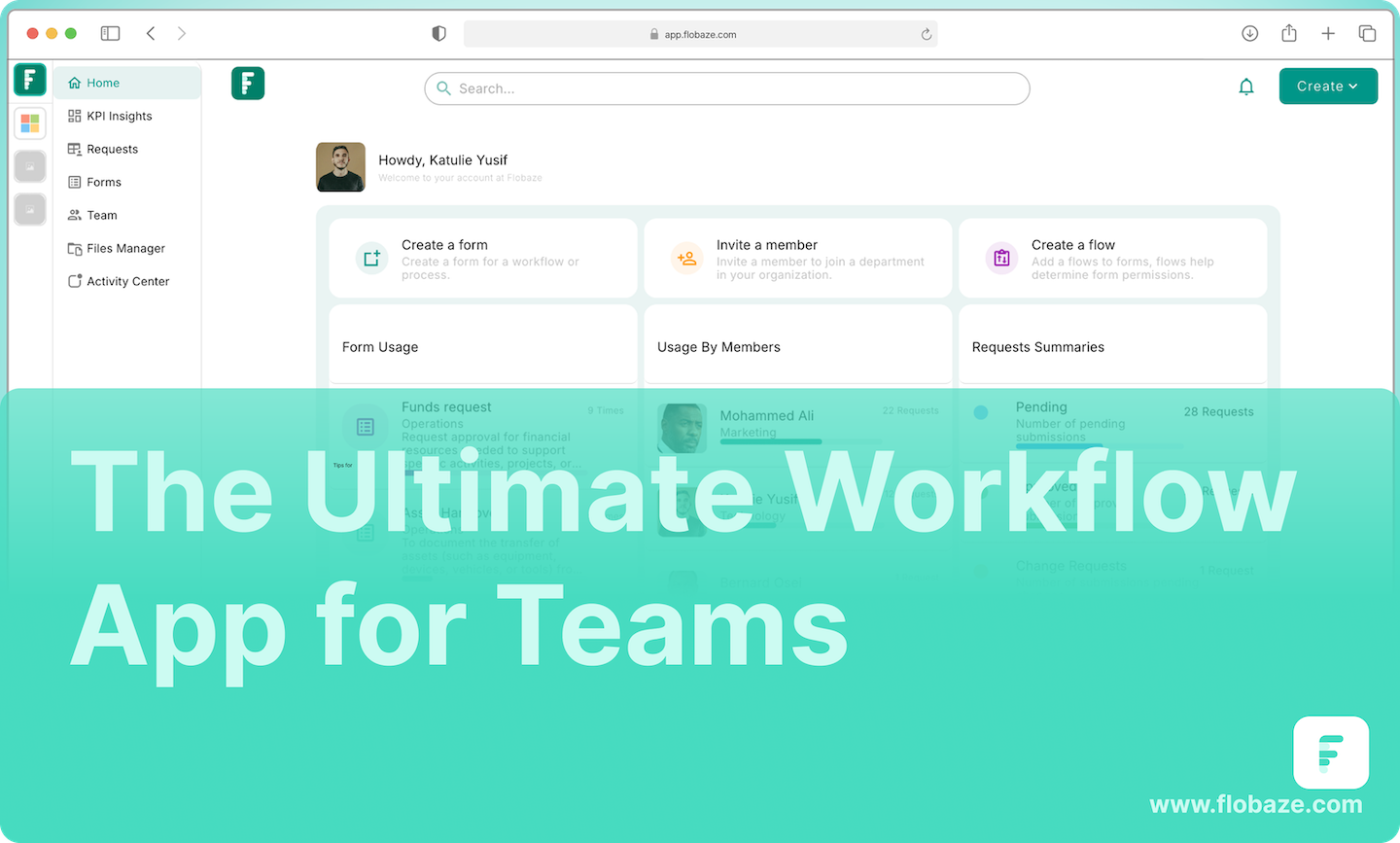
    Introducing Flobaze: The Ultimate Workflow App for Teams

    As the world of work continues to evolve, businesses and teams are constantly on the lookout for tools that can streamline their processes, boost efficiency, and enhance collaboration. Enter Flobaze the smart, user-friendly workflow platform designed specifically for teams that want to work smarter, not harder.
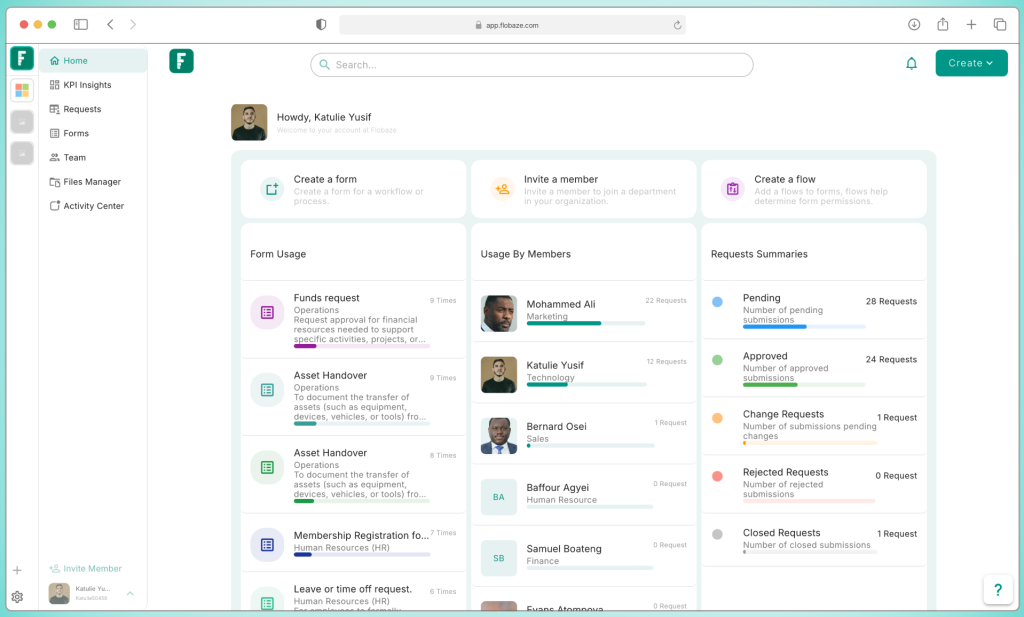
    Flobaze is a dynamic platform that takes the hassle out of managing workflows, making it easy for teams to collaborate, automate tasks, and track performance all in one place. Whether you’re part of a medium startup or a growing enterprise, Flobaze is the perfect solution to take your team’s productivity to the next level.
    Key Features of Flobaze.

    User-Friendly Interface: At Flobaze, we believe that technology should work for you, not the other way around. That’s why our platform is designed to be intuitive and easy to use. You don’t need to be a tech expert to get started. With Flobaze, setting up your workflows is as simple as a few clicks. Say goodbye to complicated setups and steep learning curves!


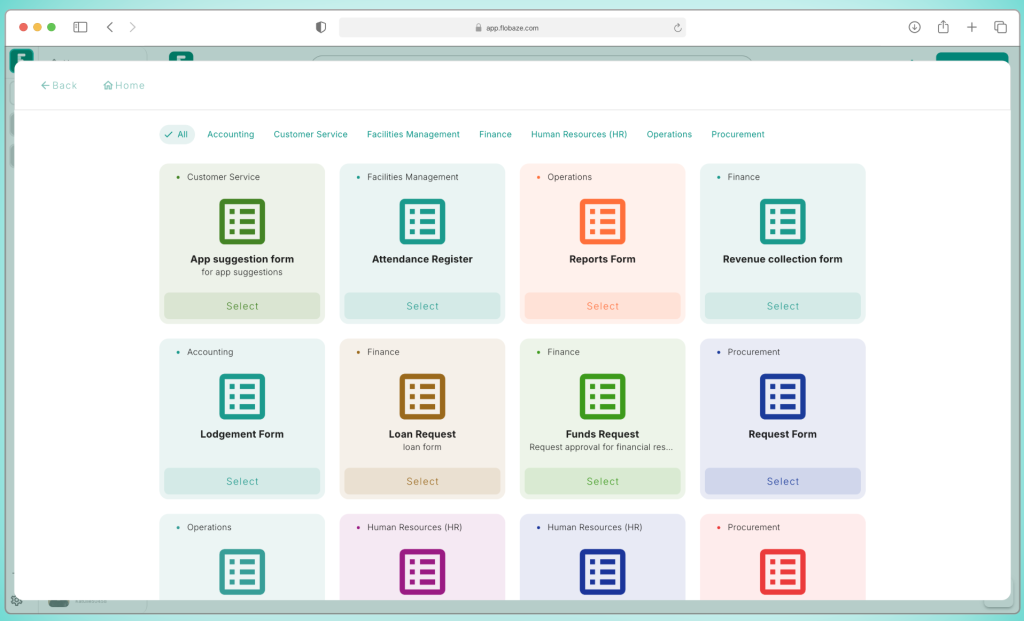
    Seamless From Sharing: One of the standout features of Flobaze is its form-sharing capabilities. Whether you need to collect data from team members, clients, or partners, Flobaze makes it easy to create and share custom forms. These forms can be integrated into workflows, allowing for smooth, automated data entry without the need for manual intervention. It’s the perfect way to gather feedback, track requests, or collect vital information across your team, all in real-time.

    Powerful Automation Features: Say goodbye to repetitive tasks! With Flobaze’s automation features, you can streamline your workflow and let the platform handle the grunt work. Set up triggers, actions, and deadlines to automate everything from sending reminders to task assignments and approvals. Automation not only saves time but also reduces the risk of human error leaving your team free to focus on higher-level strategic work.


    Effortless Setup and Configuration: The setup process for Flobaze is quick and straightforward. No complex technical know-how is required, making it accessible to teams of all sizes and industries. The platform guides you through each step, ensuring that you can customize workflows to suit your specific needs. It’s designed to be up and running in minutes, so you can start seeing the benefits immediately.


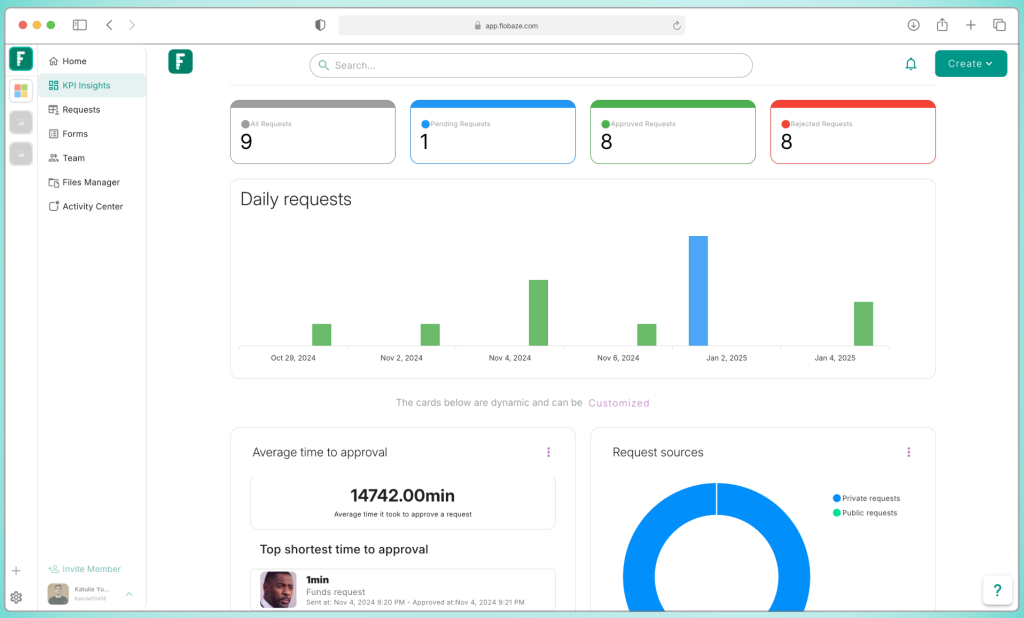
    KPIs Insights Dashboard: To ensure that your workflows are not just running but also performing optimally, Flobaze provides a KPIs insights dashboard. This powerful tool offers real-time visualizations of your key performance indicators, helping you track your team’s progress and pinpoint areas for improvement. With clear, actionable insights, you’ll be able to make data-driven decisions and continuously refine your processes for maximum efficiency.


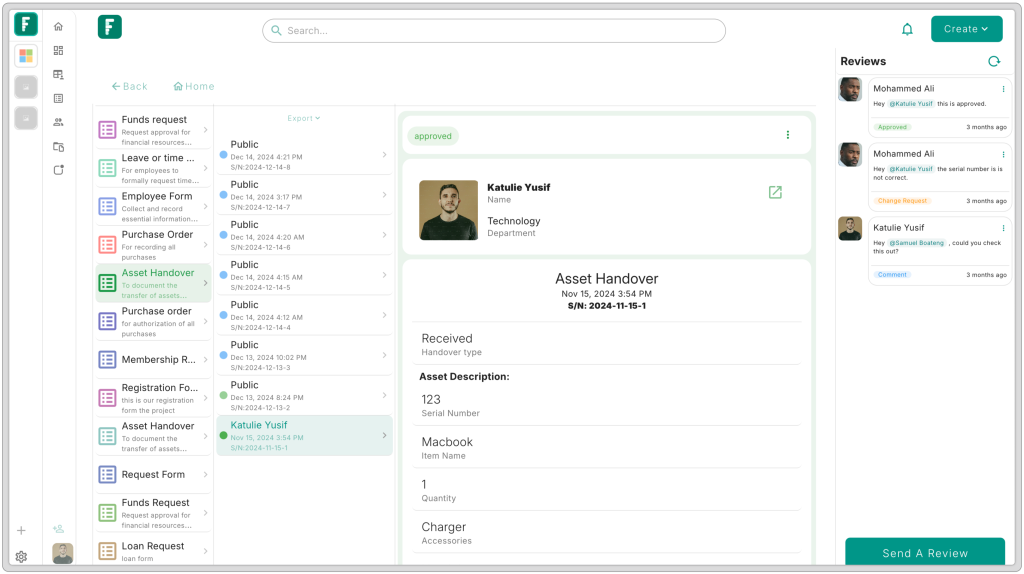
    Collaboration Made Easy: In today’s fast-paced work environment, collaboration is key to success. Flobaze facilitates seamless communication and task management, ensuring that everyone on your team is on the same page. Whether you’re working in the office or remotely, Flobaze brings everyone together with shared workflows, task assignments, and notifications that keep everything running smoothly.


    Why Choose Flobaze?
    Efficiency at Scale: Whether you’re a medium team or part of a large organization, Flobaze scales with you. From simple to complex workflows, our platform adapts to your needs.


    Increased Productivity: By automating manual processes and streamlining communication, your team can focus on what truly matters delivering high-quality results.


    Real-Time Insights: With the KPIs insights dashboard, you’ll always know how your processes are performing, allowing you to take immediate action where necessary.


    User-Centric Design: No complicated setups. No steep learning curve. Flobaze is designed to be user-friendly and easy to navigate, even for those with limited tech experience.


    Flexibility for All Industries: Whether you’re in marketing, sales, HR, or operations, Flobaze is versatile enough to suit any industry. Its customizable workflows can be tailored to meet the unique needs of your business.


    Get Started Today
    If you’re ready to boost your team’s productivity, streamline workflows, and get actionable insights at your fingertips, Flobaze is the solution you’ve been waiting for. Whether you’re looking to automate repetitive tasks or track your team’s performance in real-time, Flobaze makes it simple.
    Start your journey with Flobaze today and see how it can transform your workflow management.
    Join the Flobaze revolution- where smart workflows lead to smarter teams.